
Our AI image to video generator uses advanced machine learning to analyze your uploaded photo and transform it into a dynamic video. Simply upload your image, choose your preferences like duration, resolution, and size, and the AI will create a short video with fluid motion and effects. It's easy to use with no editing skills required.
Free AI Image to Video Maker
Instantly turn image to video with AI! One-click creation, custom duration, resolution & size.
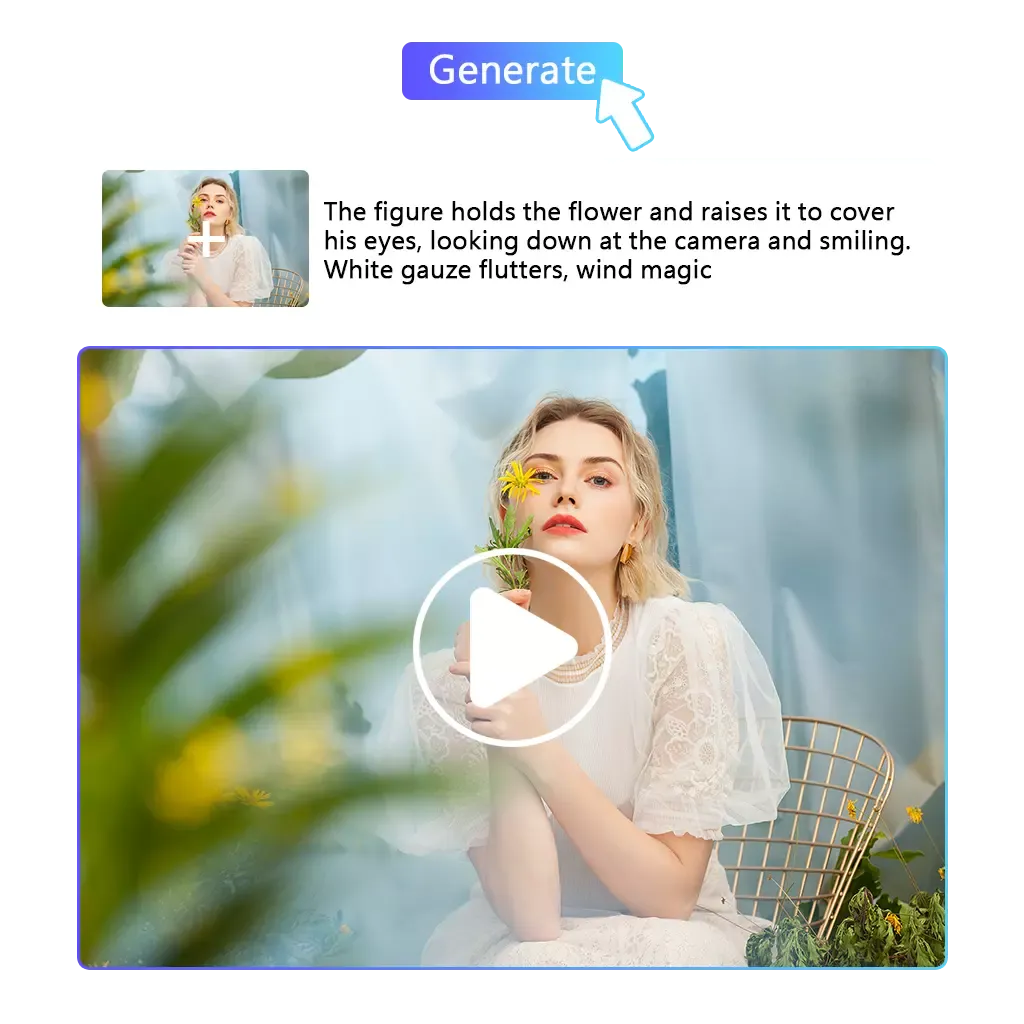
Image To Video
Free AI Image to Video
Want to make a quick video?Easily convert images to videos with our AI tool. Customize with unique prompts, create 4s or 8s clips, and enjoy 1080p clarity—turn images into dynamic videos fast!
Create Video Now
Feature
Convert Photo to Video with Pixnova AI - Free & Easy
Unlock creativity with our AI-powered tool—convert images to dynamic videos effortlessly, perfect for social media and beyond!
Easy to Use, Free, and Ready for Social Media Sharing
Convert your pictures to videos effortlessly and for free with our simple-to-use tool. No technical skills required. Once your video is ready, you can share it instantly on social media platforms like Facebook, Instagram, or TikTok without any hassle, ensuring your creations reach a wide audience.
Create Video Now
Unlimited Creativity with Powerful AI
Unlock endless creative possibilities with our powerful AI-driven photo to video tool. Just upload your image, input your prompt, and let the AI turn your static photo into a dynamic video. This seamless process is perfect for commercial advertisements, allowing businesses to create captivating, professional-looking videos in no time.
Turn Photo to Video
Create Videos from Specific Character Images
Whether you're working with movie stills, animation, or your own original sketches, our platform allows you to bring specific character images to life. Transform your characters into engaging videos, enhancing their stories and ensuring a consistent presence across different scenes or environments.
Make Animation Now
Access Millions of High-Quality Stock Images for Your Videos
Enhance your image to video creations with over 16 million high-quality stock photos from top providers like iStock, Shutterstock, and Adobe Stock. Easily swap your images with professional-grade stock images to create stunning videos that look polished and dynamic, perfect for all your creative projects.
Switch Image to Video
Why Choose Pixnova AI Image to Video Tool
Free Trial & Easy Access
Enjoy a free trial and start converting photos to videos instantly. No fees or complicated steps—just easy access to powerful video creation tools.
Privacy & Data Security
Your privacy matters. We protect your data with top-tier security and encryption, ensuring a safe and worry-free video creation experience.
Flexible Video Options

Choose from 4s or 8s video lengths, 3 resolution options, and 4 video sizes to customize your videos for any platform or need.
How to Create Videos from Images with Pixnova AI?
Turn Your Photos into Stunning Videos with Pixnova AI – Fast, Easy, and Free!
1
Upload Your Image
Whether it's a high-quality image from a stock photo website, a hand-drawn sketch, or a photo you took yourself, simply upload it to our tool.
2
Enter Description Prompt
Write a description of the person, object, or effect you want to showcase in the video. This will help the AI understand and create the video based on your creative vision.
3
Choose Video Settings & Generate
Select duration, resolution, and size, or go with the default settings. Click generate, wait a few seconds, then download and share!
Turn Your Images into Stunning Videos Instantly!
Easy, Fun, and Fast Video Creation
Creating videos with Pixnova AI is incredibly simple and fun. Just enter your idea, and the tool does the rest. You can easily edit your video with intuitive prompts, making it the ideal choice for anyone who wants to bring their creative vision to life without a hassle.
@Johnny
Pixnova AI is perfect for any project, whether it's for social media, presentations, or personal use. It's a game-changer for content creators.
@Emily
Pixnova AI is amazing for turning photos into videos effortlessly—great for social media, presentations, or personal projects!
FAQ About Pixnova AI Image to Video
Find quick and clear answers to help you make the most of our AI image to video tool.